v.2026-04-04
Parent Page

moga

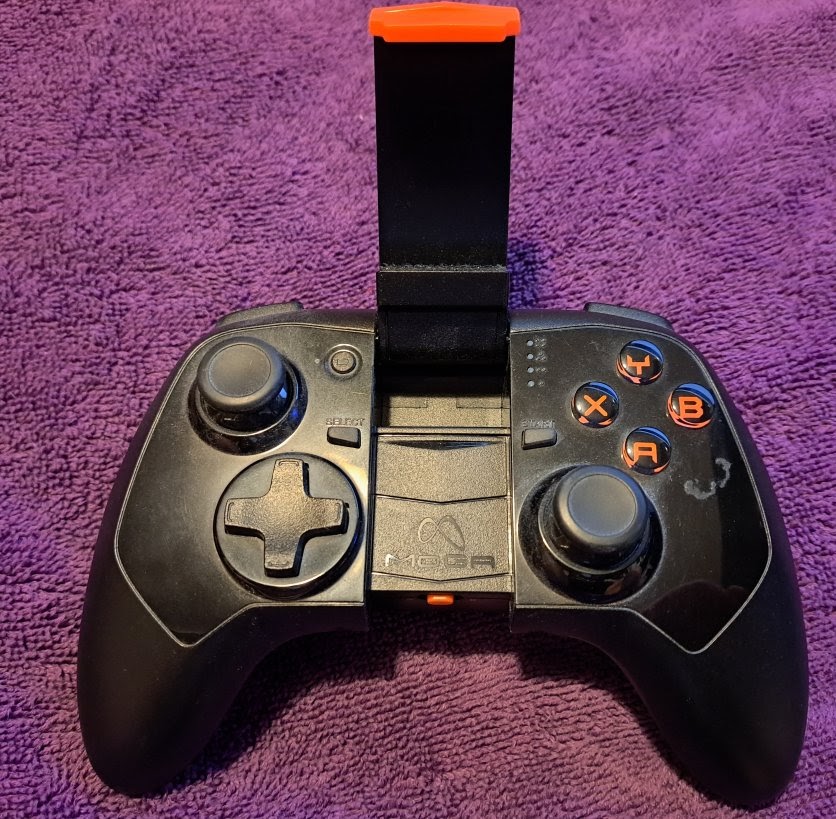
PowerA MOGA Pro Power Model 123252

External Links

gregs qna2

Info

  1. Use the Micro-B Charing Port to Charge. The one that you would expect to plug into to charge.
  2. MUST use Low Amp Charger < 1 amp or else won't charge.
  3. 2200 mAh rechargeable battery
  4. The other one that looks like a USB PC connector is for charging a phone.
  5. LED
  6. Solid Green on in A Mode.
  7. Solid Orange on in B Mode.
  8. While Charging Flashes Yellow.
  9. When Battery Full Solid Color.

A/OFF/B Switch

Type A is used with App. So we need to slide to B to use with Phone. All 4 Blue LEDS Blink Slowly. It was in Paring Mode. Appears as Moga Pro 2 HID. Bottom Right Blue LED witrh 1 DOT goes solid.

Bluetooth Pairing

Getting this thing to pair is wierd. Did not hold a conneciton. Had to turn on and off a couple of times with blue lights flashing.

Hotkey Enable

Starting to notice a problem. Basically HotKey Enable I set a button was 109. Now on MOGA Power Pro it's 4 for the select button. If I have to reset Hotkey's on each controller that will be a problem. I want to use Hotkey for select.

Retroarch AutoConfig

Moga Pro 2 HID configured in Port 1.

Problems

When I perform a select + start to exit it minimuizes everything even es-de. WTF. I am starting to think input_select_btn = "4" is causing weird stuff to happen? None of my other controllers have select mapped to 4. The - button is a battery level button. There is no pair button. We are supposed to use the pivot app to unpair?