Parent Page
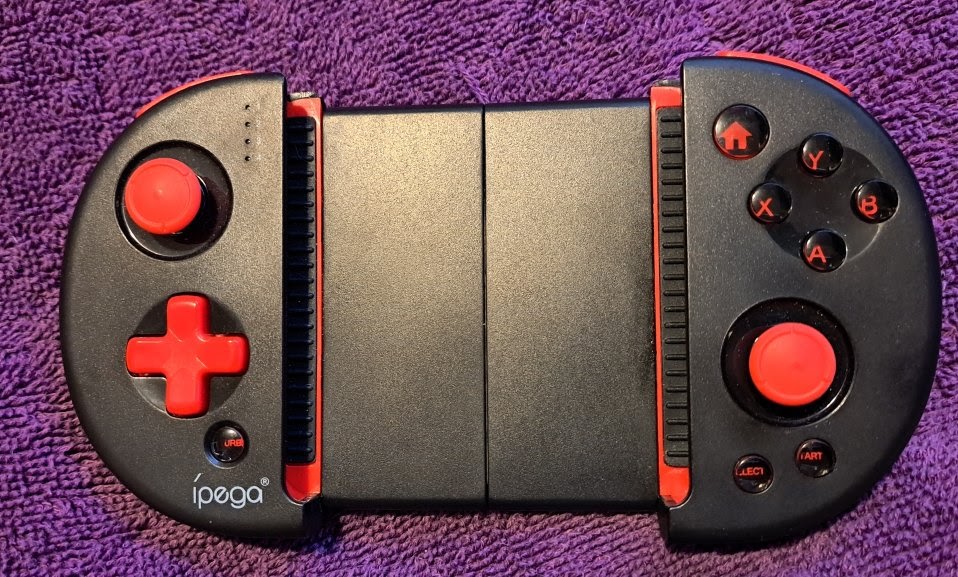
Ipega PG 9087
Ipega Red Knight Bluetooth Controller (PG-9087)External Links
Info
- Has an on/off switch Bottom Right.
- LEDS
Blue tootooth Pairing
- Turn on the controller (buttom left switch)
- Press A + Home button (Top Right)
- Led 1 and 2 blink fast
- Device appears as GamepadPlus
- LED 1 goes solid red after paired
Problems
- It went into sleep mode
- It disconnected from my phone
- It was On
- I pressed Home
- Seemed like it was trying to reconnect
- Refuses to reconnect.
- I had to hold A + Home and reconnect.
Home Button
Home + A Enters Android Pairing Mode While On Hold Home Button for 5 seconds to turn off. Short Tapping Home Re-pairs the device.Turbo Button
Because these settings are saved entirely on the hardware level, you do not need an app or external software to configure them.To Enable Turbo: Press and hold down the action button you want to automate (e.g., the A button), then tap the TURBO button once. The designated LED light on the controller will flash or stay lit to confirm the mode is active. Now, simply holding down A will unleash rapid-fire inputs.To Disable Turbo: Press and hold down the automated button again, then tap the TURBO button once moreRetroarch Autoconfig
- After BT Connection
- Start retroarch no core
- Press D-Pad
- Appears as ipega PG-9087 BT
- Autoconfig came pre loaded
- So I did not have to make one.
- I copied the file local
- RetroArch\autoconfig\android\iPega_PG-9087.cfg
- Why is Turbo Missing?
- I was going to check all Numbers and map turbo
- But really why bother.
- I don't use turbo.
- I will only remap if problem.
- Sticking with below.