Parent Page
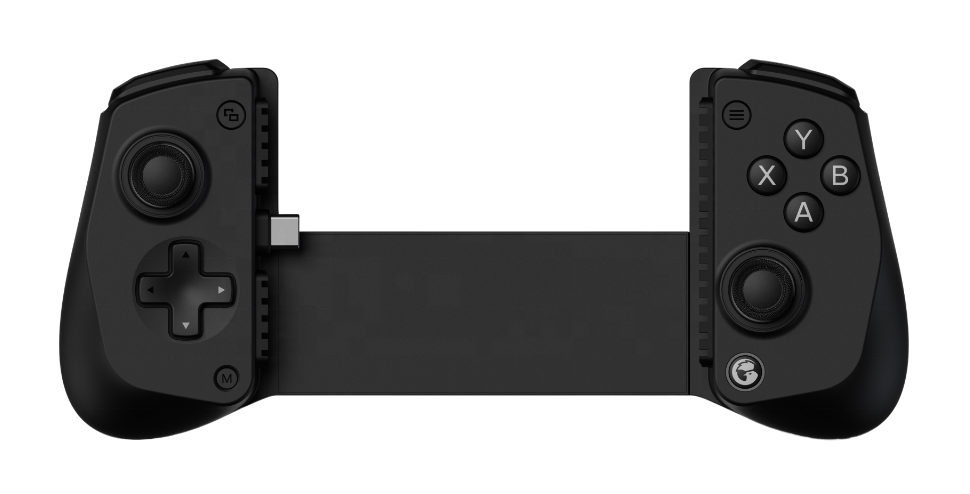
GameSir x5 Lite
GameSir x5sOverview
- My first NON Bluetooth mobile controller
- Initally my biggest dissapointment with this controller was the non swappable buttons.
- In that regard the x5s is superior.
- Aside from that and connectivity, this feels and works just like the x5s.
- Still the connectivity on this is competely different as it uses Type C USB for power and data.
- After using it for a while I now have a bigger con with this controller
- I prefer volume and power button controls to be on top of my phone/tablet.
- It's just easier to control the device like that while gaming.
- Because the USB C connecter is on right side the power and volume buttons ALWAYS end up on the bottom
- With bluetooth I can rotate the device in either direction so I can put the device volume controls up top
- This bothers me enough that I prefer the BT version of this controller.
External Links
Info
- USB Type C Connection for power and data
- Pass through charging supported so can stay connected to device and charge the device.
- This means we never need to seperate the device to charge it so this is nice.
- NO battery
- Hall effect sticks
- NO 6-axis gyroscope
- max device width is 8.39 inches. same as BT version
- Press Home button (Chicken logo button) to wake up from sleep mode.
- Press and Hold M Button check Mode through chickin color indicator.
- Press and Hold chicken and south until chicken flashes yellow rapidly for android mode
- Buttons are NOT swappable, like on the Blue tooth version. BUMMER.
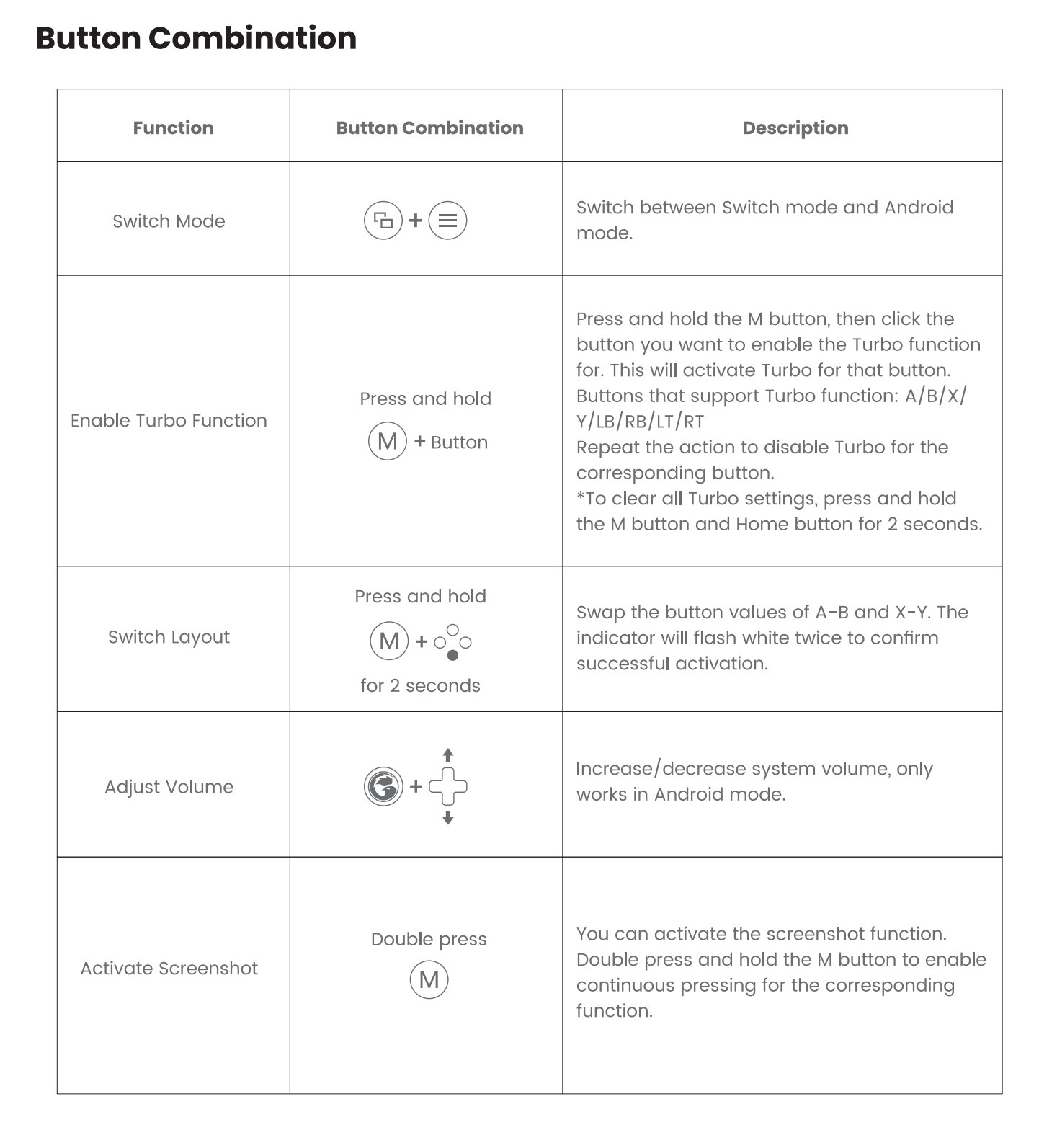
- Chicken + D-Pad Up and down controls volume in android
Problems
Retroarch Autoconfig
GameSir-X5 Lite.cfg- After Type C Connection
- Start retroarch no core
- Press D-Pad
- Appears as GameSir-X5 Lite
- Make Autoconfig
- I copied the file local
- RetroArch\autoconfig\android\GameSir-X5 Lite.cfg
Modes
| Platform | Mode | Indicator | Switch Method |
|---|---|---|---|
| Android/iOS | Switch | Red | Press and hold the View and Menu buttons for 2 seconds to switch between Switch mode and Android mode |
| Android | Android | Dark Blue | |
| G-Touch | Light Blue | Via GameSir APP |
Advanced Button Combos