Parent Page
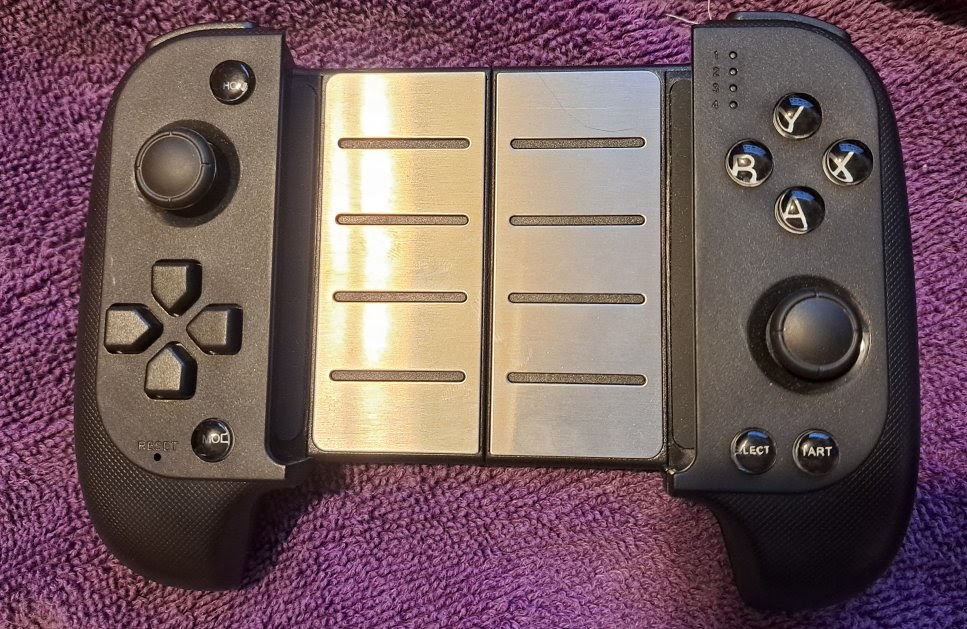
Saitake
Saitake Bluetooth Game Controller (STK-7007X) purchased Oct 10, 2018External Links
Info
- BT Version 2.1+EDR
- 300 mAh Battery
- Charge 5V 1amp MAX. Anything higher will not charge!
- To Turn OFF Hold Home Button by it self for like 5 seconds.
- To Turn On Hold Home Button by it self for like 5 seconds.
- Home and Mode buttons cannot be remapped.
- I have a west B Button. Never seen that before.
- the mode button swaps D-Pad and Left analog.
pairing
- Led 1 Blinking for Android is B+Home. So Android Mode is really (West) B+Home.
- Only when Led 1 is Blinking do I see STK-7007X from Bluetooth.
- Connect and I see Led 1 and Led 4 go Solid.
GamePad Modes
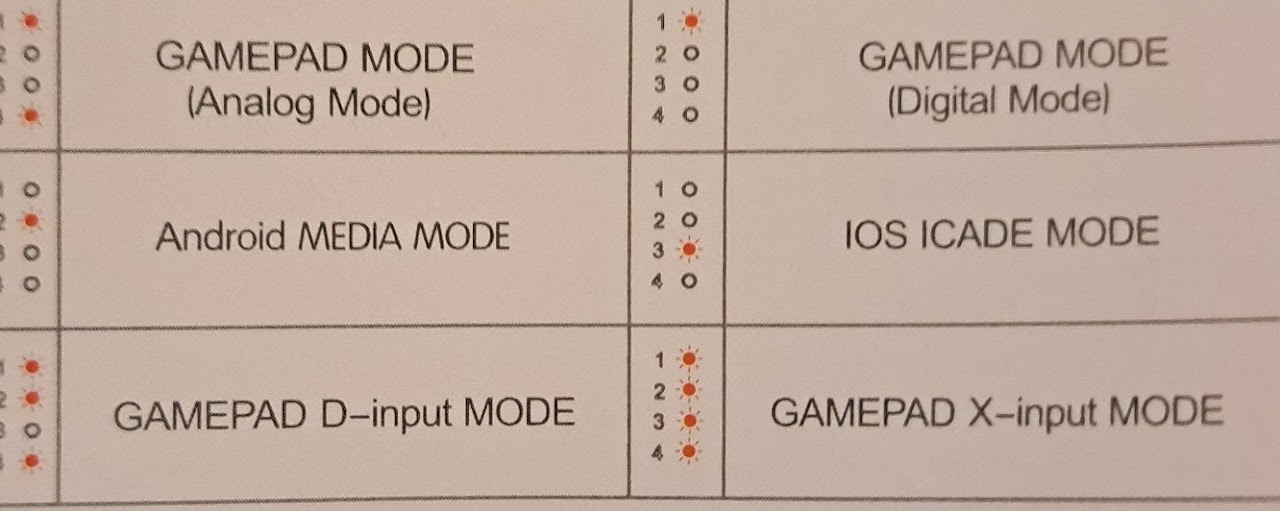
Analog Mode
LED 1 and 4 are lit. Click Home Button (top Left) Shortly to switch between Analog Mode and Digital Mode.Digital Mode
LED 1 only is lit. Click Home Button (top Left) Shortly to switch between Analog Mode and Digital Mode. It swaps left analog with D-Pad. Nice.Android MEDA Mode
I think this makes stick work like a mouse. Short press Mode Button (Bottom Left)D-input Mode
LED 1,2,4 are lit. Manual acts like this occurs only when connected through USB cable (not bluetooth) X-Input means work like X Box Controller less config necessary so Use that over D-InputX-input Mode
LED 1,2,3,4 are all lit. Manual acts like this occurs only when connected through USB cable (not bluetooth) Use Home Button to switch between X-input and D-Input Modes.Retroarch
The following ID's are duplicated with Amazon Fire Game Controller that was uploaded to github controller profiles. The problem is those control #'s will never work with mine.- input_vendor_id = "6473"
- input_product_id = "1026"
STK-7007X Consumer Control.cfg
Home Button
- Power On: Press and hold the Home button for about 3 seconds. The LED lights will start flashing quickly.
- Power Off: Press and hold the Home button for about 5 seconds while the controller is active. The LEDs will turn off, indicating it is powered down.
- Android standard mode (HID): Press X + Home
- Android custom key-mapping mode (ShootingPlus V3 app): Press A + Home