Parent Page
moga
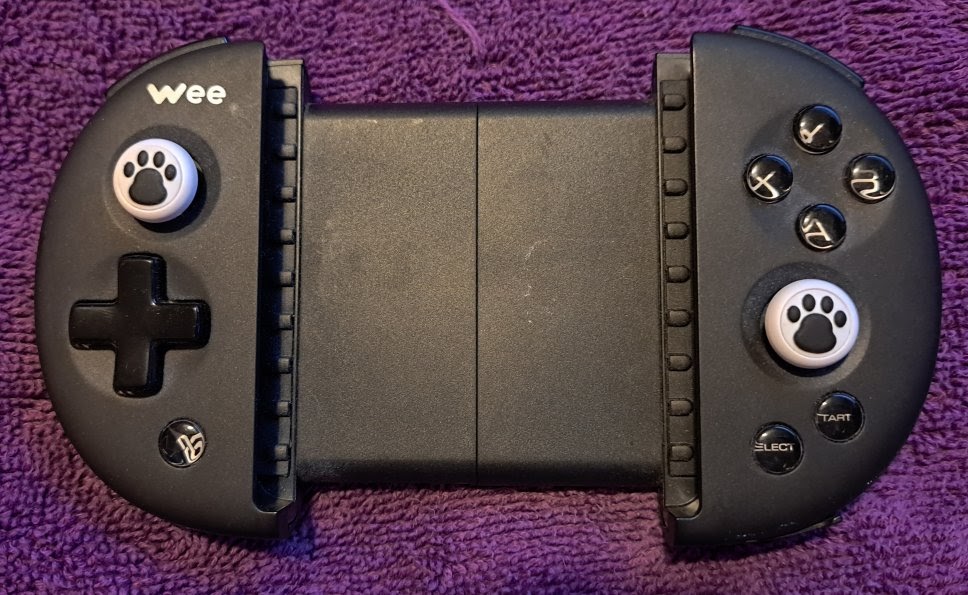
Flydigi Wee (Appears as FeiZhiWhee)External Links
Info
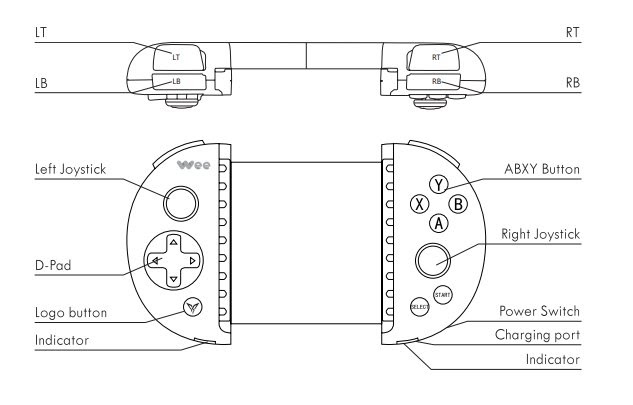
- Power switch on bottom right side.
- Press and Hold Logo Button (bottom Left) to enter pairing Mode
- The Logo Button is the pairing button.
- Appears as FeiZhiWee
- Blue indicator will flash quickly
- After paired will go solid blue.
- Android 4.4 or above and Bluetooth 4.0
- Wireless Frequency 2.4GHz-2.485GHz (Bluetooth 4.0 BLE)
- Battery Capacity 300mAh lithium battery
- Charging Time 3-4 hours
- When power indicator is flashing green battery is low (bottom right).
- When charging left Red indicator stays on. When fully charged red light will go out.
- When Pairing left Blue Indicator Flashes. When Paired goes solid blue.
Problems
I paired it with my phone. I turn it on. I always have to search for it in Bluetooth devices and reconnect. Why doesn't it just auto connect? Press the Logo Button to reconnect to last paired device. Yes this worked.Flydidi Utool
- The weirdest thing about this controller is it came with a USB adapter called the Flydigi Utool.
- The manual even talks about enabling USB debugging so it can work with your android phone?
- This only about working with software and remapping.
- This is not a 2.4GHZ dongle.
Retroarch Autoconfig
- After BT Connection
- Start retroarch no core
- Press D-Pad
- Appears as FeiZhiWee
- Had to make Autoconfig
- I copied the file local
- RetroArch\autoconfig\android\FeiZhiWee.cfg
- At one point I mapped Logo button as select
- Still would not work for select + start
- So I mapped it as Turbo - 106
- Now I think I could get it work as select