Parent Page
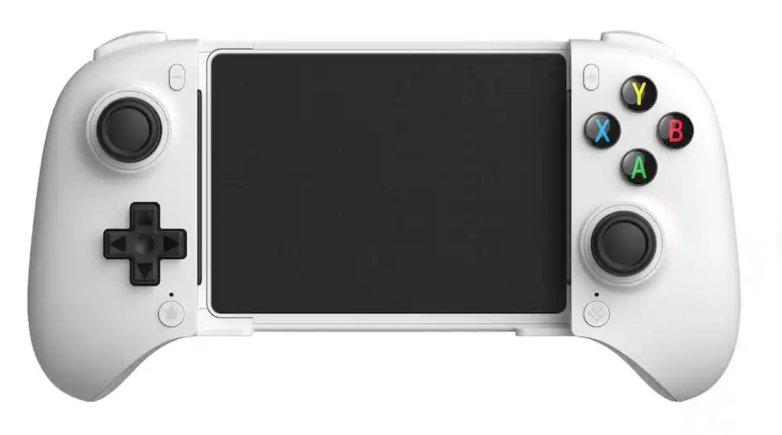
Hold the Home Button for 6 seconds to turn off the controller
The Home Button is on the bottom right face below the right stick.
8BitDo Ultimate Mobile Gaming Controller
8BitDo Ultimate Mobile Gaming Controller 36 Bucks from 8 bit do web site 2026-04-06External Links
Note 3
- I wanted to use this with Note3 and it does not work.
- Apparently it only works with Android 9.0 or greater? I assumed that was just for mapping software
- So If I want to use this with my notes 3 which is on Android 5.0 I need to root the note 3 and installer newer android.
- Doing this is a PITA and not worth it. Need to get older and newer firmwares from misleading sites.
- Flashed firmware from 1.02 to 1.03 supposedly fixes samsung connections. not mine. Still no go.
- How do I change modes on this device? D-Input?
- You Can't X-Input only and The bluetooth is not compatible with older hardware?
Info
- Hall Effect triggers and joysticks
- 2 Pro back paddle buttons
- The Logo Button is the pairing button.
- 300mAh battery
- Android 13.0 and above
- Support 8BitDo Ultimate Software V2
- Power On ?
- Pairing Mode: ?
Turn On/Off
Hold the Home Button for 3 seconds to turn on the controllerHold the Home Button for 6 seconds to turn off the controller
The Home Button is on the bottom right face below the right stick.
Pairing
Press and hold the pair button for 3 seconds to enter pairing mode. The status LED will start to blink rapidly. From Android device Pair with 8BitDo Ultimate MG. Status LED will go solid. The pair button is location on the top of the device right next to the usb-c port.Turbo Function
A + The Star button button (bottom left face below D-PAD) Turns on Turbo Mode. Turbo light indicator will go on. A + The Star button button (bottom left face below D-PAD) Turns off Turbo Mode. Turbo light indicator will go off. There also an auto turbo mode whatever that means? A+Star X 2 presses.P1/P2 Buttons
Are on back of controller. P1 + A + Star means A is mapped to P1. P1 + Star means null is mapped to P1. Not a fan of the buttons on back of controller. Will probably never use.Problems
Retroarch Autoconfig
- After BT Connection
- Start retroarch no core
- Press D-Pad
- Appears as ?
- Make Autoconfig
- I copied the file local
- RetroArch\autoconfig\android\gamesikre.cfg