Parent Page
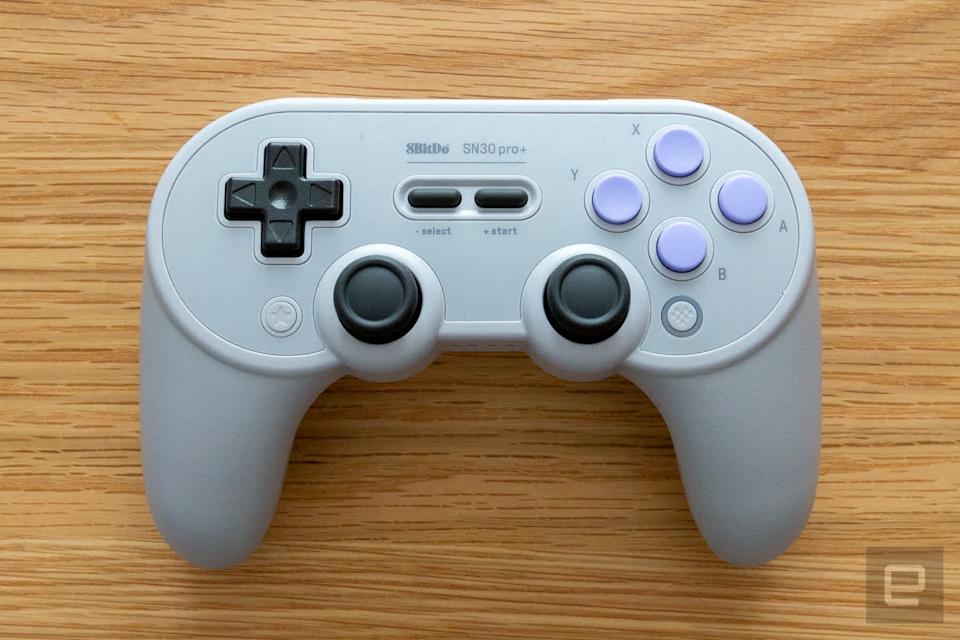
8BitDo sn30 Pro Plus Controller
Links
Specs
- 1000mAh Li-on battery, rechargeable
- The 1000mAh battery can be replaced with two AA batteries
- It sits in a compartment on back of controller.
- 20 play hours with 2 hours charging time
- Turbo function
- Bluetooth
- USB Wired
- Enters sleep mode after 15 minutes of no use
Pro 1 is gone now
- Website only shows pro 2 now
- Pro2 has extra bottons on back of controller
- Pro 2 has extra switch for modes
- custom Profile switch button
- Profile indicator
- 4-Way mode switching button
Bluetooth Pairing Mode
Press and Holder Pair Button On Back of device. Press and Hold for 2 seconds to enter Pairing Mode. LEDS Pause for 1 second then start to rotate again. LEDS becomes solid when connection is successful. In windows appears as 8bitdo ? gamepad.Windows (X - input)
- Press and Hold X + Start to turn on the controller. LEDs 1 and 2 Blink
- Do Pairing above
- Appear in Bluetooth as 8BitDo SN30 Pro+
- Connected to Renioir 2026-02-27
Android (D - input)
- Press and Hold B + Start to turn on the controller. LED1 Blinks
- Do Pairing above
LED Indicator
- Solid Red -> Battery Charging
- Blinkinf Red - low battery mode
- Led Turns off -> After Battery is fully charged
Turbo Function
- Hold the button you would like to set turbo functionality to/li>
- then press star button active/deacivate turbo
- Home LED Will Brinlk rapidly.
Special Function Buttons
- Start -> Press to turn on. Hold for 3 seconds to turn off. Hold for 8 seconds to force turn off
- Star -> Turbo
- Select -> I guess just map a select button?
- Home -> ?
Front LEDS
What are the small LEDs for on the bottom of the controller? They are controller mode indicators:- A. LED 1 blinking: D-input mode
- B. LED 2 blinking: X-input mode (Xbox 360 mode)
- C. LED 3 blinking: macOS mode
- D. LED Rotating: Switch mode or pairing mode
- E. Solid LED: connection is successful