Parent Page
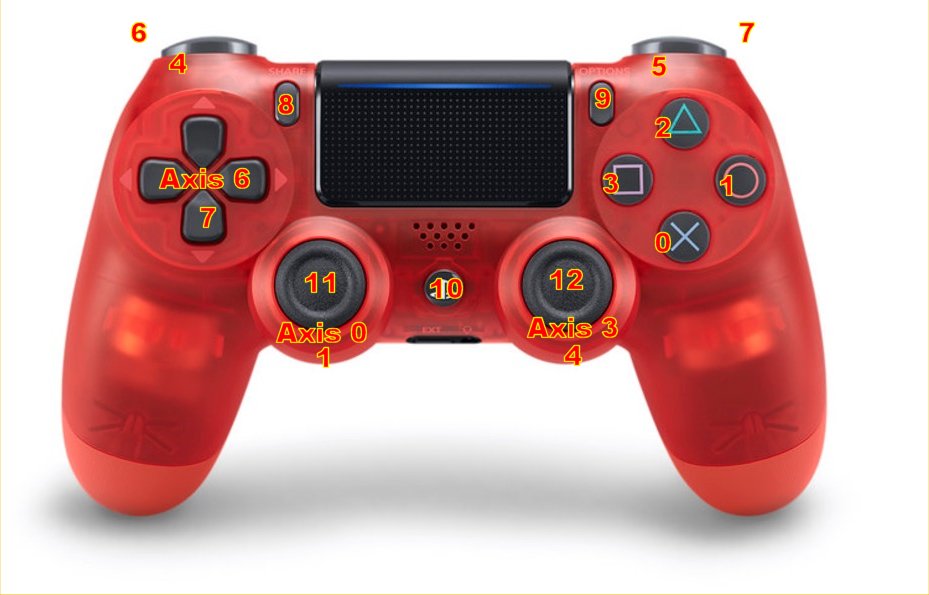
Red PS4 Wireless Controller
Links
Best Buy
Notes
- Light Bar on back shuts off when fully charged
- To turn on hold down on ps logo button
- No idea how to turn off
Bluetooth connections
Currently paired with veermer windows desktop as of 2026-02-25.
I tried to disconnect and pair with renior and it refused. I give up.
I guess it will only ever work with veermer?
Pairing Mode
enter wireless pairing mode by holding the SHARE and PS buttons until the light bar flashes white. Renior refuses to see it from add bluetooth while pairing mode is blinking on controller.
Pairing in RetroPie Step By Step
1. ssh to plus1.
2. sudo ~/RetroPie-Setup/retropie_setup.sh
3. C - Configuration Tools.
4. Bluetooth - Configure BlueTooth Devices.
5. Press SHARE (upper left) and PS Logo Button, to get fast double blinking white light. The blinking must continue after letting go of buttons.
6. Wireless Controller.
7. Display Yes No
8. Connected to F4:93:9F:3C:1C:23