Parent Page
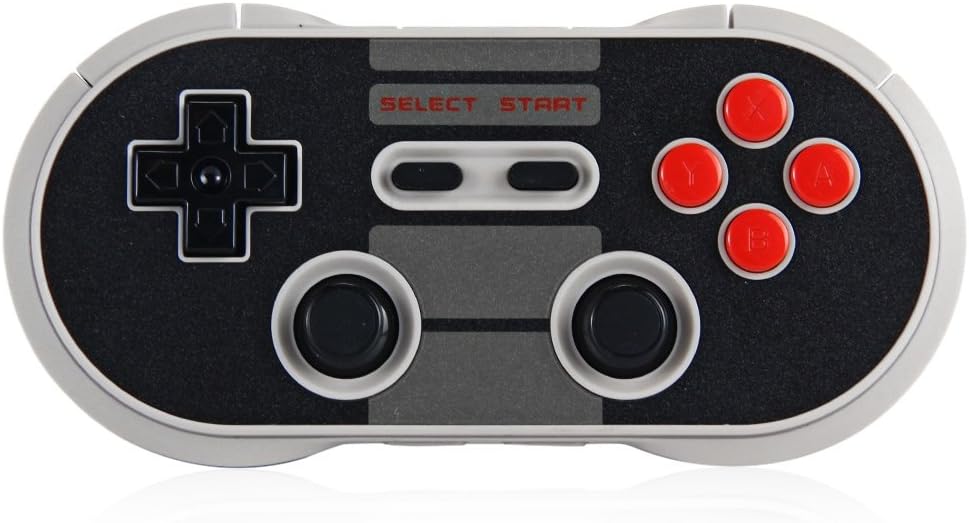
NES30Pro
Links
Bluetooth Pairing Mode
Press and Holder Pair Button On Bottom Right of device. Press and Hold for 2 seconds to enter Pairing Mode. LEDS Blink Blue Rapdily. LEDS becomes solid when connection is successful. In windows appears as 8bitdo ? gamepad. Connected to veermeer as of 2026-02-27. I did connect it to renior but a-b button where backwards in retrobat. Then I come realize power on with holding X makes it run in Android D Input Mode. So I tried to Switch to X Mode and it refused to pair again with Renior. I think I had to remove old connection? Dunno. Anyway it's connected to Veermer now. I'll forget to Hold X then Power it up in wrong mode. Now I get kind of why this was discontinued. Mainly use with Android I guess.Purchased 2017-09-16
No Longer sold.Specs
- Model: NES30PRO
- 380 Li-on battery, rechargeable
- Bluetooth
Windows (X - input)
- Press and Hold X + Power to turn on the controller. LEDs Blink Twice Per Cycle
- Do Pairing above
- Appear in Bluetooth as 8BitDo NES30 Pro
- Connected to Renioir 2026-02-27
Android (D - input)
- Press and Power Button alone to turn on the controller. LED Blinks once per Cycle
- This is wierd and makes it annoying for use with windows.
- Do Pairing above
LED Indicator
- Blinking Red - low battery mode
- Blinking Green - Charging
- Led Turns off -> After Battery is fully charged